SOFTWARE ENGINEERING · MINI PROJECT
ReturnLoop
Software requirements & design document
SCAN TO OPEN THE LIVE APP return-loop.vercel.appREVISION HISTORY
| Version | Date | Changes |
|---|---|---|
| 1.0 | 25 Oct 2026 | First version: requirements, analysis & design diagrams, wireframes and prototypes. |
| 1.1 | 31 Oct 2026 | A workplace for every desk (5.2). New requirements FR14 Repair ticket and FR15 Live feed. DFD level 1 shows the fix list and the live feed. Wireframes for the warehouse and the workshop; agent, QC and admin wireframes redrawn; every prototype screenshot retaken. |
Introduction
1.1 Purpose
ReturnLoop gives an online store one place to run every return: from the customer's request and the doorstep pickup, through quality check and grading, to a correct refund and the item going back on the shelf, to the repair bench or to scrap. Every step is recorded.
1.2 Scope
IN SCOPE
- Six roles and a 13-status return workflow
- Eligibility rules, pickup booking with two attempts
- QC checklist, A / B / C grading, fraud check
- Refurbishing and re-inspection
- Refund calculation and inventory log
- Admin dashboard and frequent-returner flags
- A workplace for each desk, and a handoff card between desks
OUT OF SCOPE
- Real payments or a payment gateway
- Passwords and real accounts (a role switcher stands in)
- Courier API integration
1.3 Users and roles
| Role | Demo user | Main tasks |
|---|---|---|
| Customer | Chirag | Requests returns, books pickups, tracks and closes them |
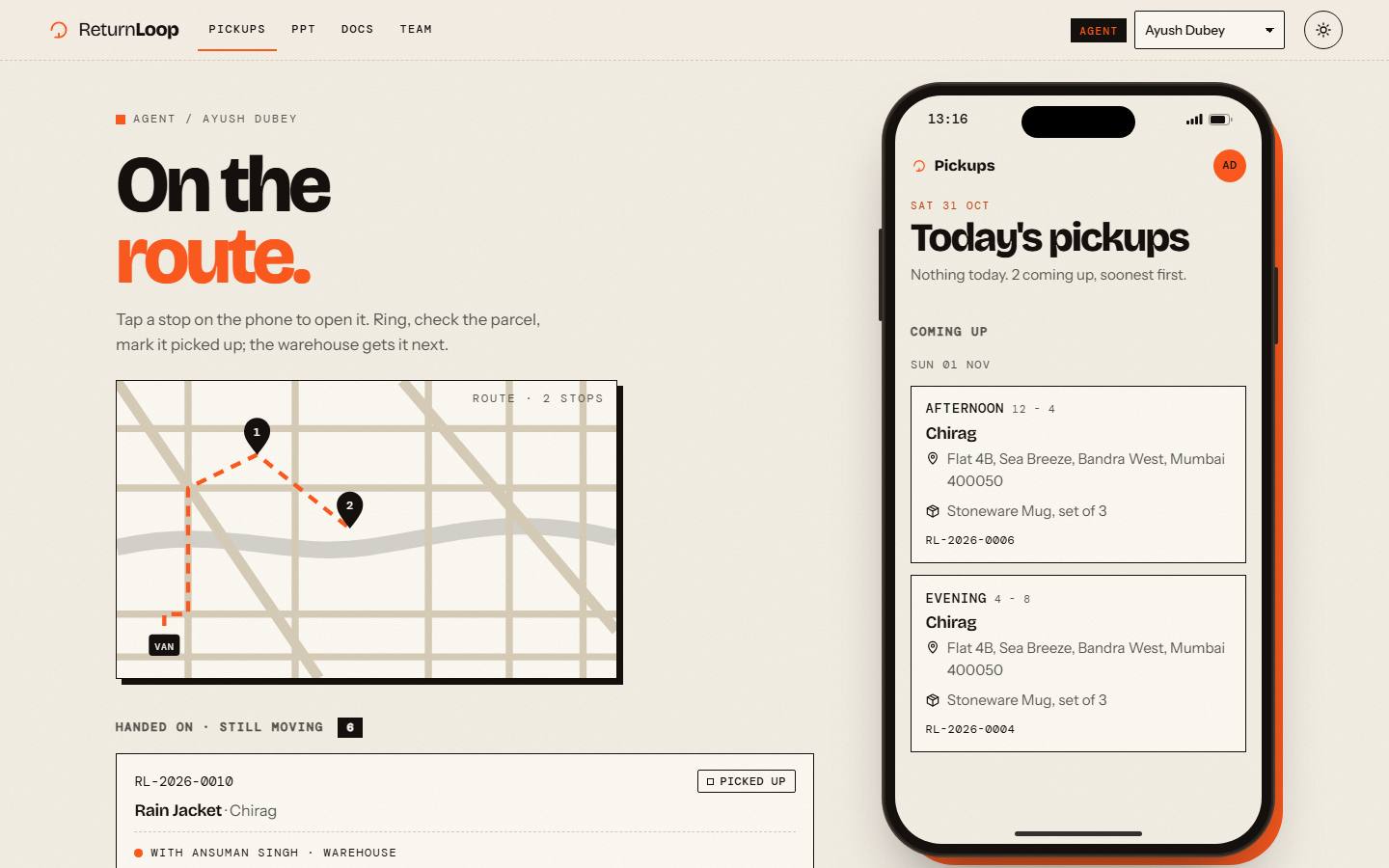
| Pickup agent | Ayush Dubey | Collects parcels, or marks the customer absent |
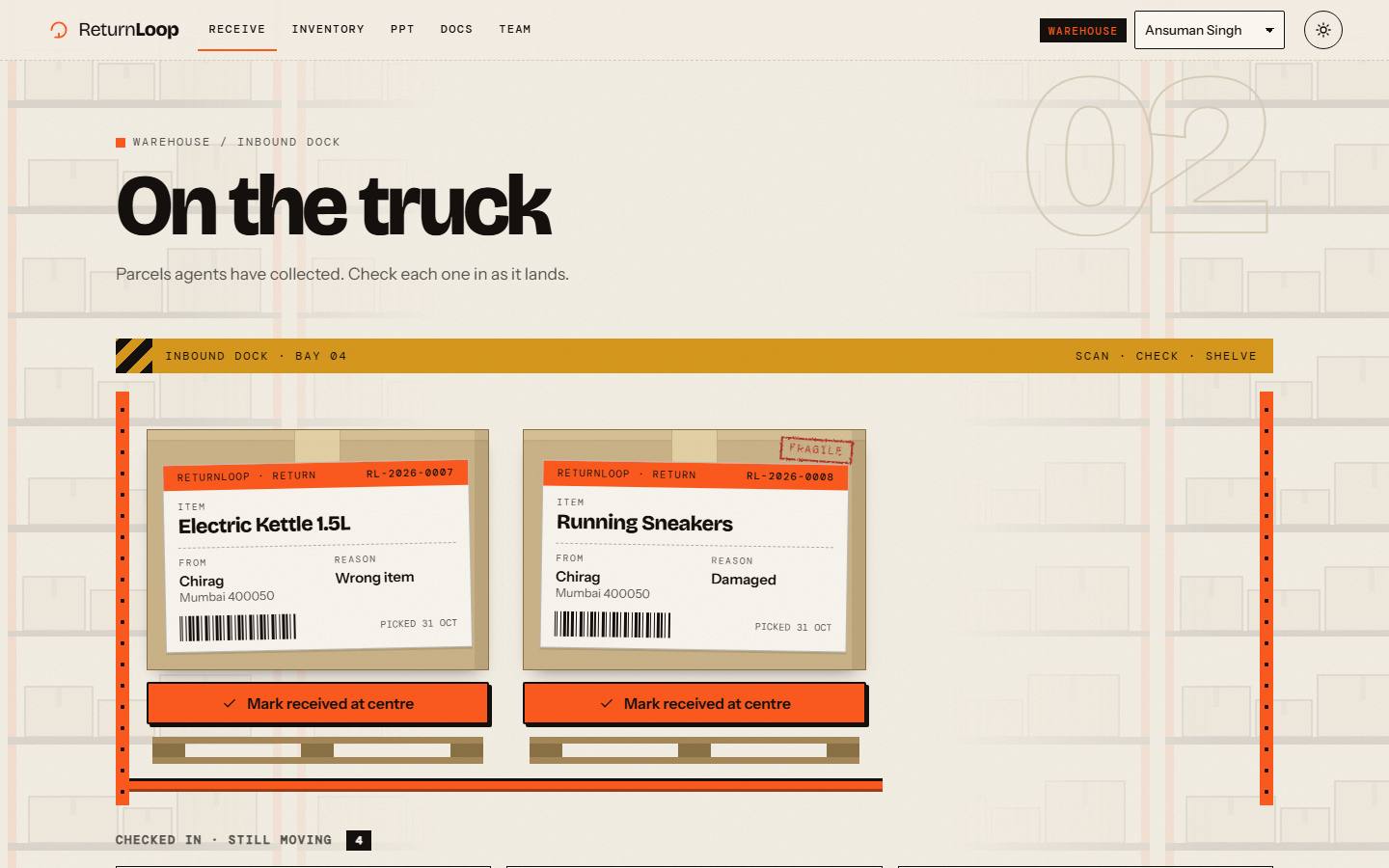
| Warehouse | Ansuman Singh | Checks parcels in at the returns centre |
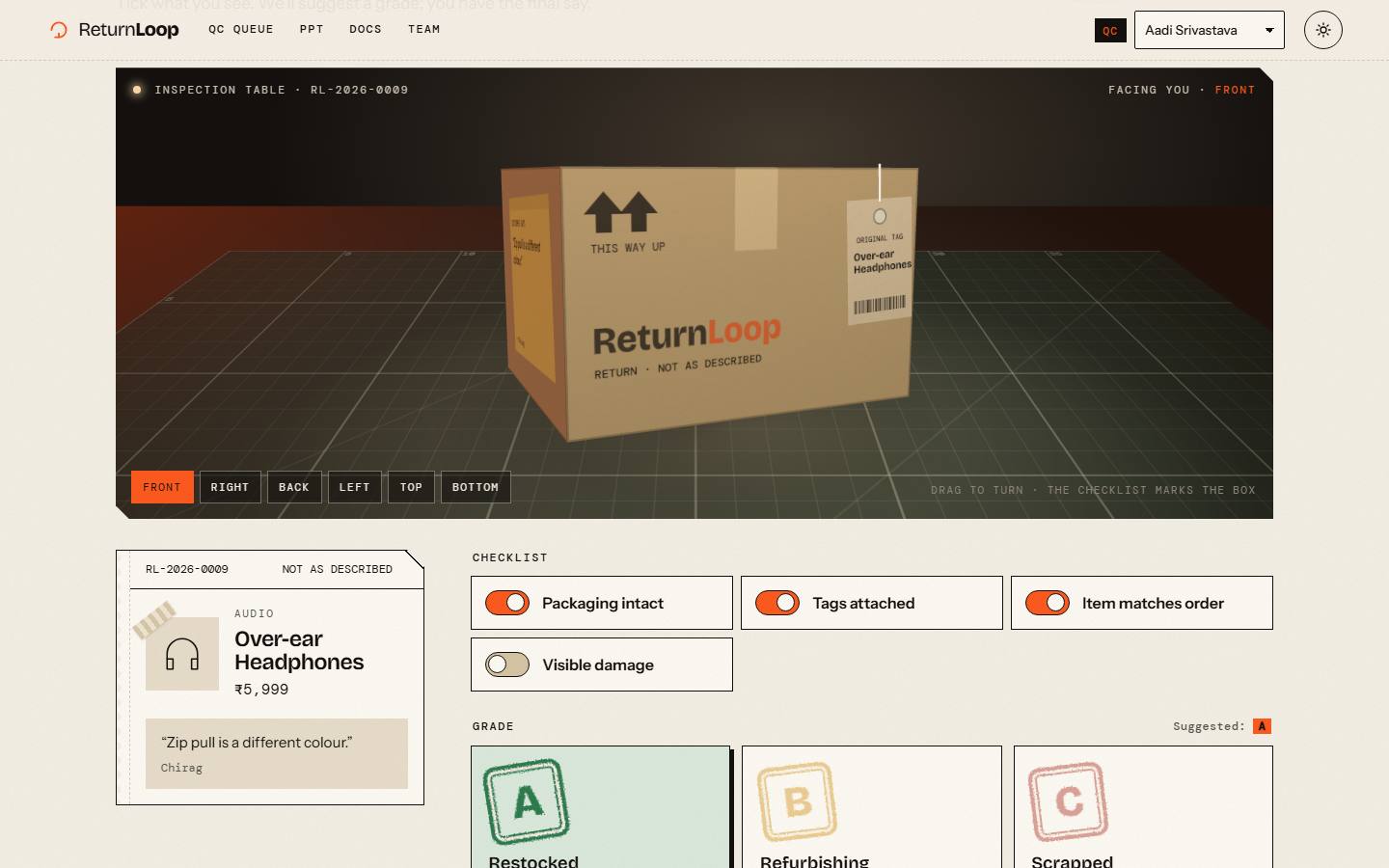
| QC inspector | Aadi Srivastava | Inspects, grades A / B / C, rejects mismatched items |
| Refurbisher | Anumeet | Works through QC's fix list on grade B items, then sends them for a second check |
| Admin | Aryan Singh | Watches totals, charts, the live feed and flagged customers |
1.4 Key terms
- Return code
- The ID of a return, e.g.
RL-2026-0004. - Grade A / B / C
- QC's verdict: A restocked (100%), B repaired then rechecked (70%), C scrapped (0%).
- Handoff
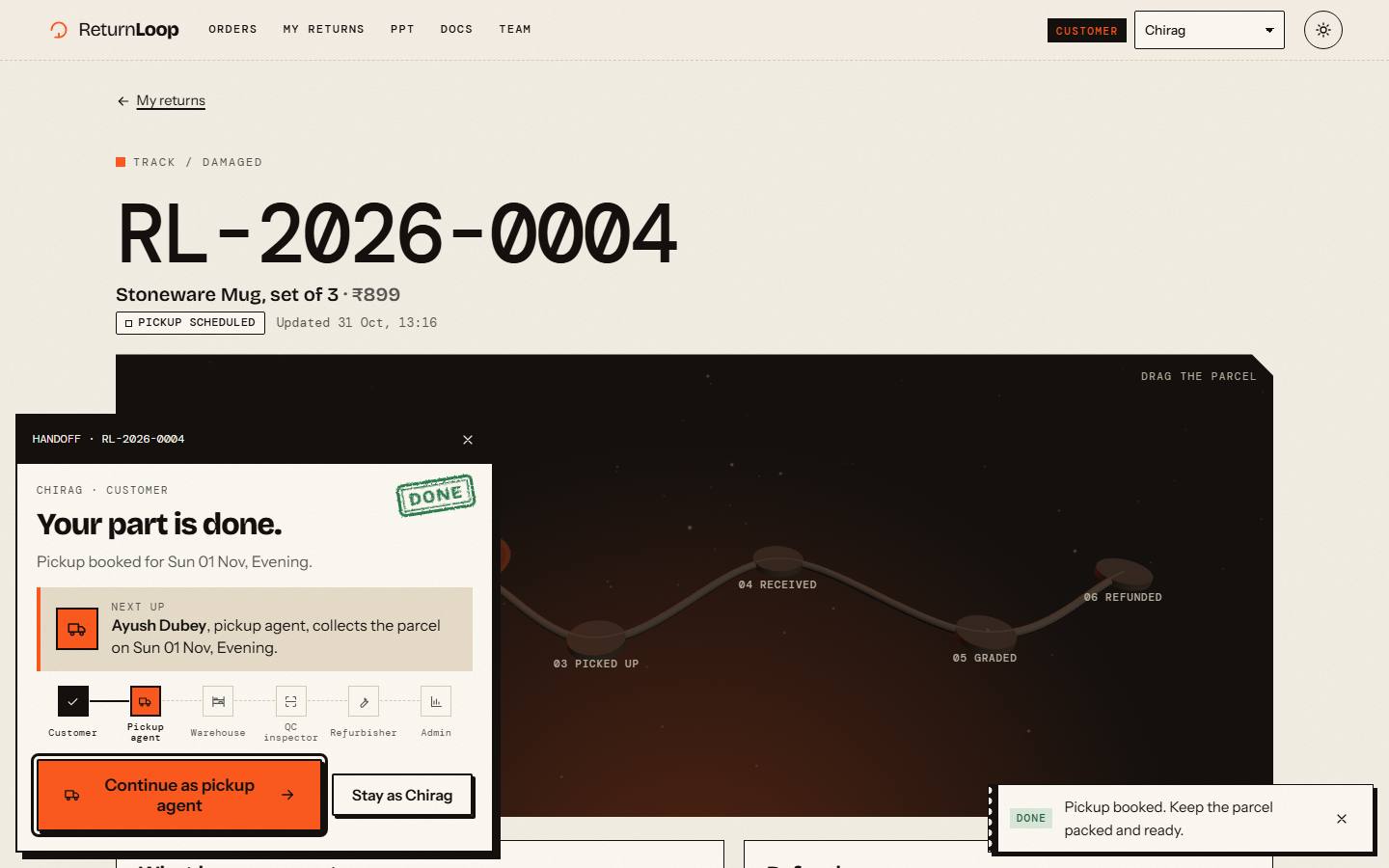
- After each step the app names the next desk and opens its page in one click.
- Return window
- 7 days from delivery; outside it, the item can't be returned.
- Repair ticket
- A grade B job in the workshop; QC's findings become its fix list.
- Live feed
- The admin's list of the latest status changes, newest first.
Functional requirements
What the system must do. Priority uses MoSCoW: Must is needed for a working return flow, Should makes it complete.
| ID | Requirement | Description | Actor | Priority |
|---|---|---|---|---|
| FR01 | Role switch | Choose any of 6 roles and a user without a password; each page rejects the wrong role (403). | All | Must |
| FR02 | View orders | Customer sees delivered items with eligibility, or the reason it can't be returned. | Customer | Must |
| FR03 | Eligibility | Return allowed within 7 days of delivery, for returnable products, with no other open return. | System | Must |
| FR04 | Request return | Reason, comment (≤ 300 chars), optional photo (PNG/JPG/WEBP, ≤ 3 MB). | Customer | Must |
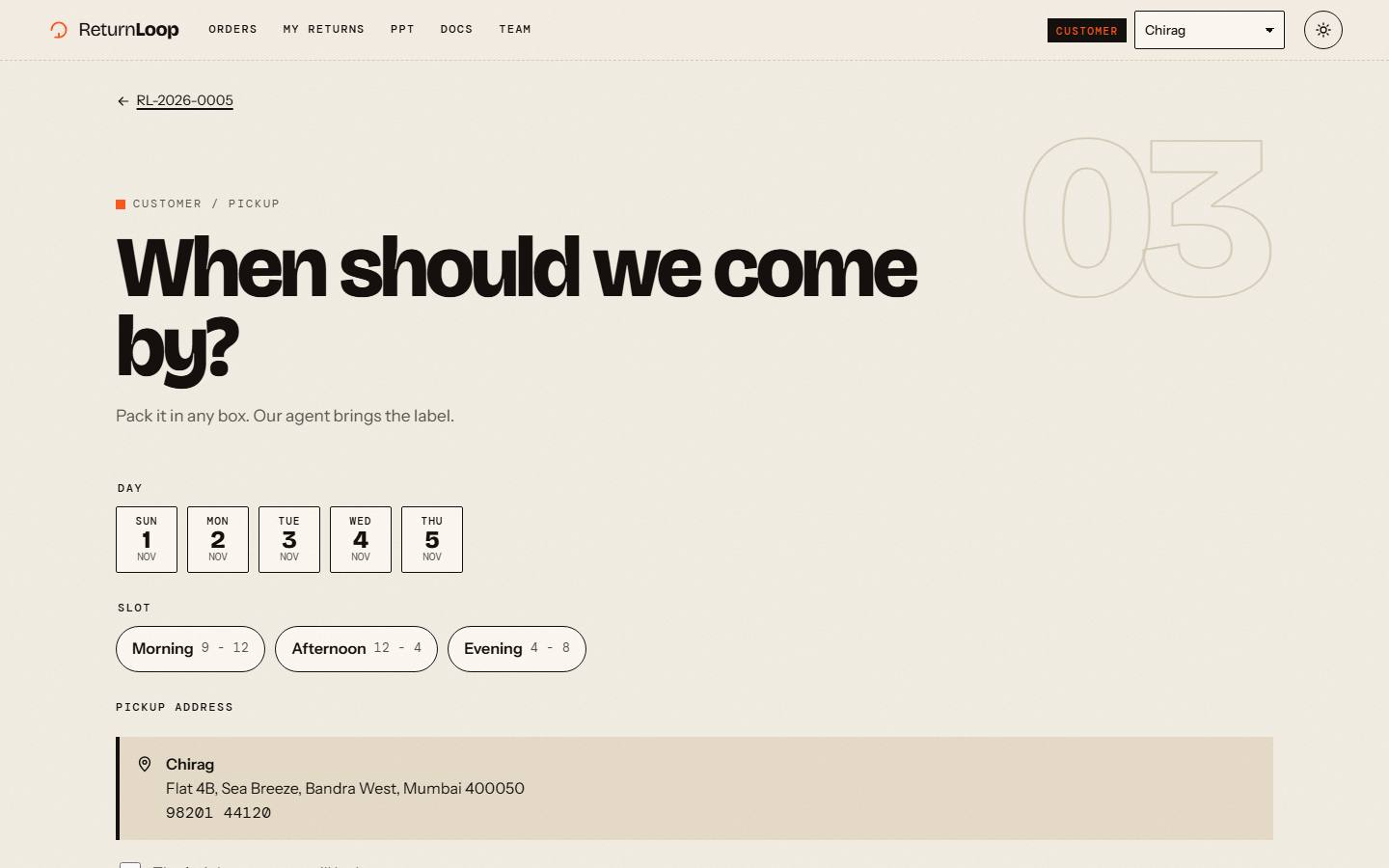
| FR05 | Book pickup | Date from tomorrow to +5 days, slot Morning / Afternoon / Evening; reschedule. | Customer | Must |
| FR06 | Collect parcel | Agent marks picked up or absent; the 2nd absence cancels the return. | Pickup agent | Must |
| FR07 | Receive | Warehouse checks the parcel in; it joins the QC queue. | Warehouse | Must |
| FR08 | Inspect & grade | QC checklist, suggested grade, A/B/C; a mismatched item is rejected as fraud. | QC inspector | Must |
| FR09 | Refurbish | Grade B goes to repair, then re-inspection: pass → restock (70%), fail → scrap. | Refurbisher, QC | Must |
| FR10 | Refund | final = max(0, base × grade% − pickup fee), damaged/wrong-item exception, created once. | System | Must |
| FR11 | Track | Live status (polled every 5 s), history timeline and refund breakdown. | Customer | Should |
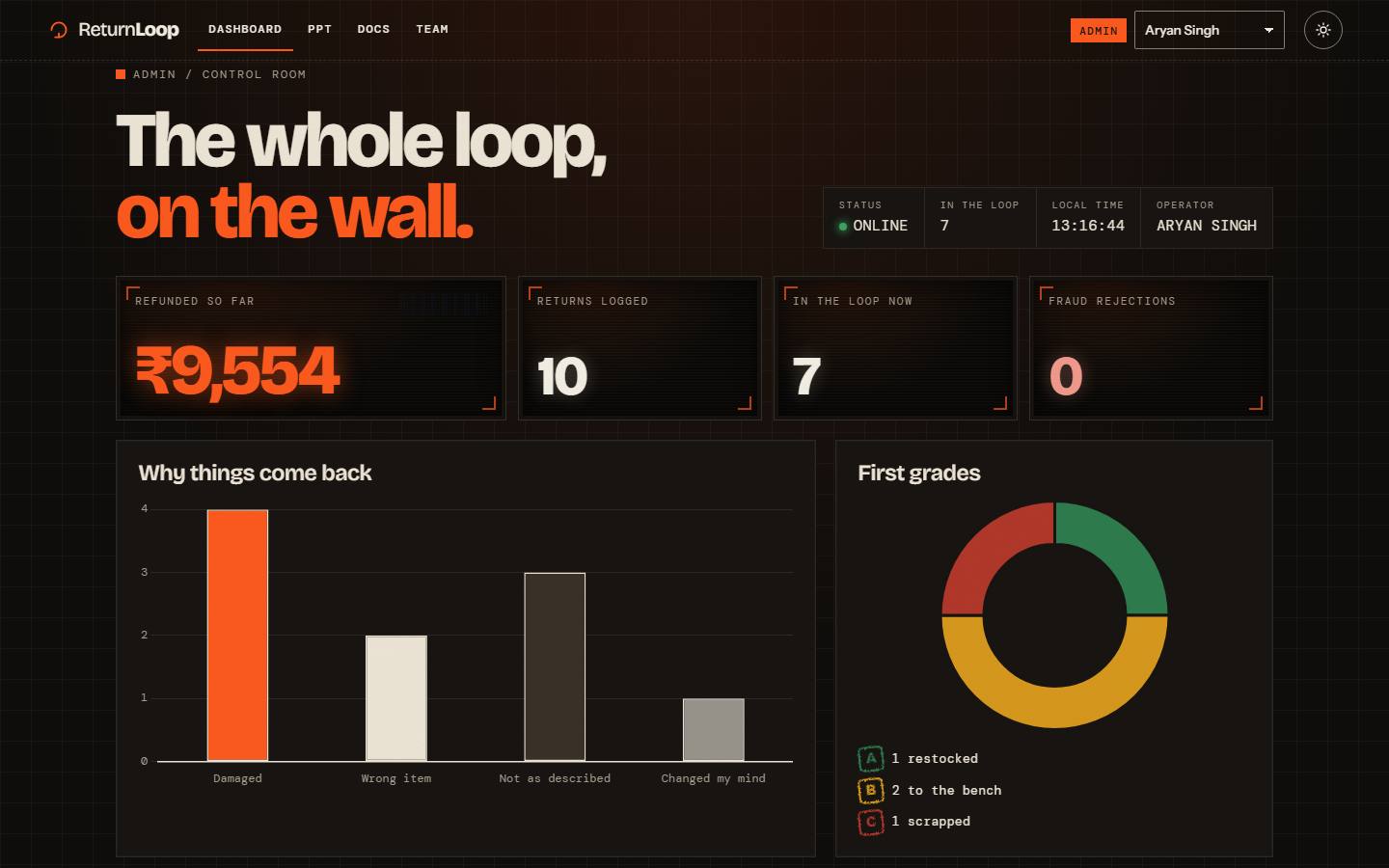
| FR12 | Dashboard | Totals, reasons and grades charts, frequent-returner flags (> 3 in 30 days). | Admin | Should |
| FR13 | Hand off | After each step, a card names the next desk and opens its page in one click. | All | Should |
| FR14 | Repair ticket | QC's findings become the fix list; ticked fixes are saved as the notes; past repairs show QC's verdict. | Refurbisher | Should |
| FR15 | Live feed | The admin sees the latest status changes, newest first, with who made each one. | Admin | Should |
Non-functional requirements
How well the system must do it, and how each quality is checked.
| ID | Quality | Requirement | How it is checked |
|---|---|---|---|
| NFR01 | Performance | 60 fps on a mid laptop, 30+ on phones; pixel ratio capped; 3D pauses off-screen. | Frame-rate guard halves particles below 40 fps |
| NFR02 | Reliability | Refund + inventory log + status change in one transaction; no double refunds. | Unique refunds.return_id; double-submit tests |
| NFR03 | Security | Role guard on every blueprint; customers only see their own returns; upload validation. | 403/404 tests; file-signature check on photos |
| NFR04 | Usability | Plain-language errors and empty states; the handoff card always names the next step. | End-to-end relay test over HTTP |
| NFR05 | Accessibility | WCAG AA contrast, keyboard-only use, visible focus, reduced-motion mode, text on every badge. | Manual keyboard pass; reduced-motion mode |
| NFR06 | Maintainability | Logic in services/, rules in config.py, thin routes; a pytest suite over services, pages and the full flow. | pytest on every increment |
| NFR07 | Portability | Python 3.10+, SQLite, no build step: install, seed, run in 3 commands. | Runs locally and on Vercel |
| NFR08 | Robustness | Static fallbacks without WebGL or internet; friendly 403 / 404 / 413 pages. | Pages tested with 3D unavailable |
Analysis & design diagrams
Each diagram below is drawn from the code: the statuses and moves come from services/state_machine.py, the classes from models.py, and the messages from the real functions.
4.1 Use case diagram
The six actors stand outside the system boundary, each linked to the use cases they can start. The customer views orders, requests a return, books a pickup, tracks it and finally closes it; requesting a return always includes Check eligibility (the 7-day window, a returnable product, no open return). The pickup agent, warehouse, QC inspector and refurbisher each handle one stage of the parcel's journey. Grading and re-inspecting always include Issue refund, so no graded item is left without one. The admin only reads: the dashboard and the list of flagged customers.
4.2 Activity diagram
The diagram follows one return from start to finish. The customer opens their orders; an ineligible item only shows the reason, and the flow ends there. An eligible item is requested and a pickup booked: if nobody is home the agent rebooks for the next day, and a second miss cancels the return. A collected parcel is received at the centre, where QC first checks it matches the order, otherwise it is rejected as fraud. Grade A restocks and C scraps the item; B goes to the refurbisher and a recheck decides between restock and scrap. Every route ends in the same refund and inventory log, and the customer closes the return.
4.3 Swimlane diagram
This is the same process split into one column (lane) per role, so it shows who is responsible for each action. Reading top to bottom, the return starts in the customer's lane and moves to the pickup agent, the warehouse and then the QC inspector. Every arrow that crosses into another lane is a handoff, which the app turns into a "Continue as …" card. The refurbisher's lane is used only for grade B items, which loop back to QC for a recheck. The System lane holds the automatic steps (routing by grade, restocking or scrapping, issuing the refund) before the refund arrives back in the customer's lane.
4.4 Class diagram
The domain model has eleven classes, one for each database table in models.py. A Customer places Orders, each Order contains one or more OrderItems, and each item refers to a Product. A ReturnRequest belongs to one OrderItem and sits at the centre of the model: it owns its Pickups, QC reports, refurbish jobs, its Refund and its StatusHistory. The filled diamonds mean composition, so those parts cannot exist without their return; InventoryLog rows only reference the return they came from. The multiplicities (1, *, 0..1) match the database rules, for example a return has at most one refund.
4.5 CRC cards
Each card names a class or service, its responsibilities (what it knows and does) and its collaborators (the classes it works with). The model classes, such as ReturnRequest, Pickup and QCReport, mainly hold the data for one step of a return. The services hold the rules: the state machine allows only valid moves, Eligibility checks the return window, and the refund service computes the amount exactly once. Handoff and Flags read across several classes to decide who acts next and which customers return too often. Keeping rules in services and data in models is what keeps the route handlers thin.
RESPONSIBILITIES
- Holds reason, comment, photo and status
- Knows its pickups, QC reports, refund and history
- Gives its current pickup and latest report
COLLABORATORS
- OrderItem
- Pickup
- QCReport
- Refund
- StatusHistory
RESPONSIBILITIES
- Allows only the moves in the transition table
- Writes a history row for every move
- Refuses anything else
COLLABORATORS
- ReturnRequest
- StatusHistory
RESPONSIBILITIES
- Checks the 7-day window
- Checks the product is returnable
- Checks there is no open return
COLLABORATORS
- OrderItem
- Product
- ReturnRequest
RESPONSIBILITIES
- Holds slot date and window
- Counts attempts (max 2)
- Records the outcome
COLLABORATORS
- ReturnRequest
- Pickup agent
RESPONSIBILITIES
- Holds the checklist and grade
- Marks a recheck
- Keeps the inspector's remarks
COLLABORATORS
- ReturnRequest
- QC inspector
RESPONSIBILITIES
- Tracks open / repaired
- Keeps repair notes and technician
COLLABORATORS
- ReturnRequest
- Refurbisher
RESPONSIBILITIES
- Computes base × grade% − fee
- Applies the damaged / wrong-item exception
- Creates the refund and inventory log once
COLLABORATORS
- ReturnRequest
- QCReport
- Refund
- InventoryLog
- State machine
RESPONSIBILITIES
- Works out who acts next
- Picks the page they land on
- Lists returns each desk handed on
COLLABORATORS
- ReturnRequest
- Pickup
- RefurbishJob
RESPONSIBILITIES
- Counts returns per customer in 30 days
- Flags more than 3
COLLABORATORS
- Customer
- ReturnRequest
4.6 Data flow diagrams
Level 0 treats ReturnLoop as a single process (0) and shows only the data flowing between it and the six external entities. The customer sends a request, photo and pickup slot and gets back eligibility, status and the refund breakdown; each staff role exchanges its work list and its results. Level 1 opens that process into eight numbered processes, from 1.0 Check eligibility to 8.0 Report & flag, and six data stores D1–D6. Data enters from an entity, is changed by a process and written to a store: 2.0 Schedule pickup writes D3 Pickups, which the agent then reads as the pickup list. The dotted line shows that every status change is also written to D6 Status history, which 8.0 reads back for the admin's live feed; 6.0 Refurbish reads D4 QC reports to turn QC's findings into the repair ticket's fix list.
4.7 State diagram
A return is always in exactly one of 13 states. It starts as Requested and moves through Pickup Scheduled, Picked Up and Received; it can stop early as Cancelled (a second missed pickup) or Rejected (not eligible, or the item doesn't match the order). After grading it is Restocked, sent through Refurbishing and Re-inspection, or Scrapped; both Restocked and Scrapped lead to Refunded and then Closed. Each box lists what happens on entering the state (entry/) and while in it (do/), and each arrow reads event [guard] / action, e.g. inspect [mismatch] / flagFraud. change_status() refuses any move not drawn here, so the diagram is also the rule.
4.8 Sequence diagrams
Both diagrams show objects as columns and messages in time order from top to bottom. (a) When the QC inspector grades a return A, the browser posts the form to the qc blueprint, which calls submit_inspection(); that moves the return to Inspected and then Restocked through the state machine and calls issue_refund(). The refund service calculates the amount, moves the return to Refunded and writes the refund, inventory log and history rows in one commit, so either all of it is saved or none. (b) After the agent marks a parcel picked up, hand_off() remembers the return; the next page asks services.handoff who is next, and "Continue as warehouse" posts to /switch, which opens the warehouse page with that parcel highlighted.
UI design: wireframes & prototypes
5.1 Design language
"Mailroom meets control tower": kraft paper, ink and one signal orange. Return codes and labels are set in a monospace font like shipping labels; grades are rubber stamps; every status badge carries text, so colour is never the only signal.
Bricolage Grotesque headings · Instrument Sans body · DM Mono codes & labels
5.2 A workplace for every desk
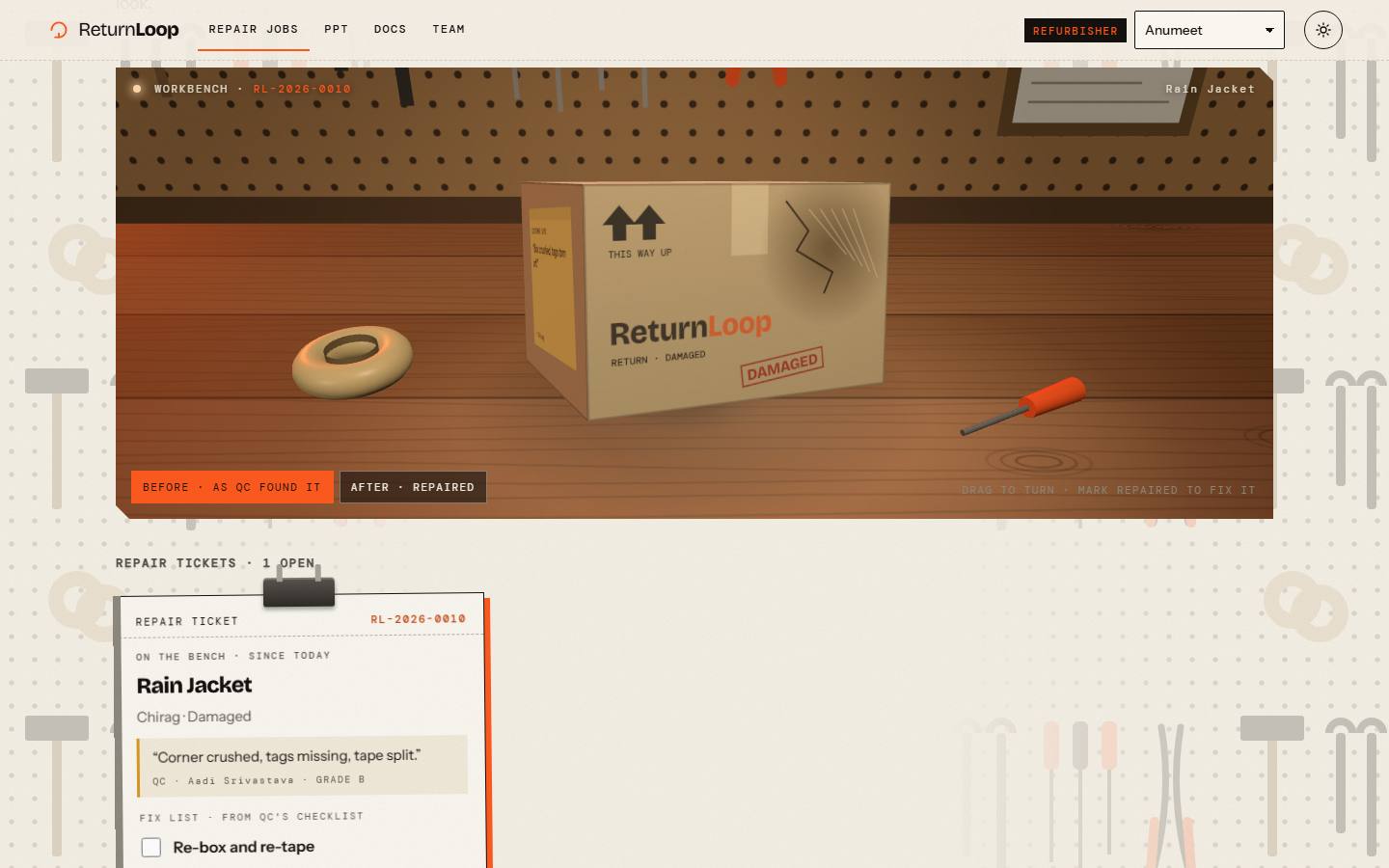
Each role's pages look like the place where that job is done, so moving a return from desk to desk feels like walking it through the building. The forms and buttons are the same everywhere; the workplace is a frame around them. 3D is used only where it helps the work, on the QC table and the workbench, and it pauses when it is off-screen.
| Desk | Workplace | What makes it that place |
|---|---|---|
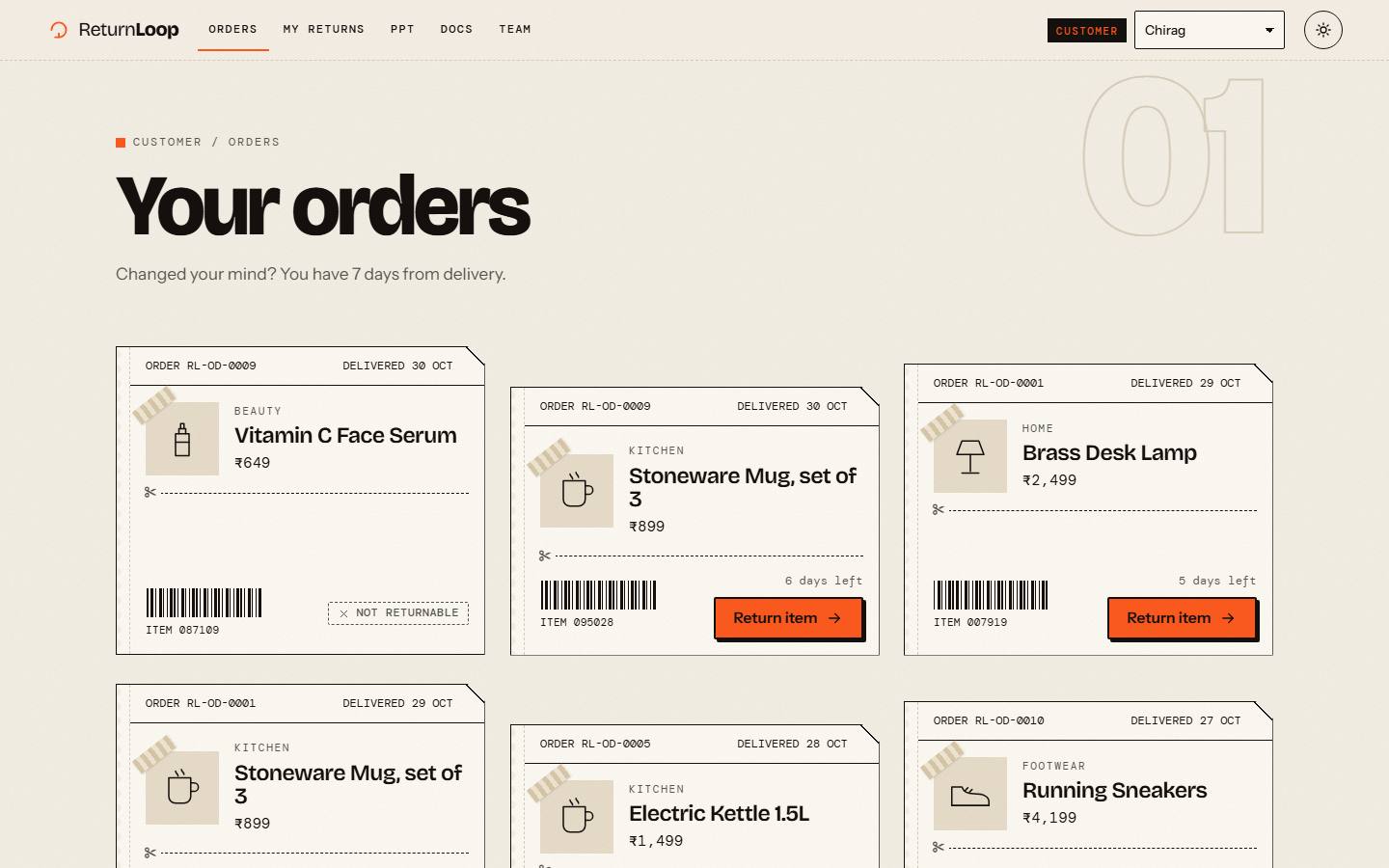
| Customer | Shipping slips | Orders are shipping labels; the tracking page moves the parcel along a 3D path. |
| Pickup agent | A phone | The app runs inside a phone with the day's route map beside it; over the screen the cursor becomes a fingertip. |
| Warehouse | The inbound dock | Storage racks behind the page; each parcel is a box on a pallet with its shipping sticker. |
| QC inspector | The inspection table | The parcel under a lamp, turnable to every side; the checklist marks the box as it is ticked. |
| Refurbisher | The workshop | Pegboard and tools; repair tickets carry QC's fix list, and the box is fixed on the bench. |
| Admin | The control room | Dark in both themes: a status strip, numbers on wall screens and a live feed of status changes. |
5.3 Wireframes
Low-fidelity sketches of the main screens, drawn before the visual design: layout, content and the one main action on each screen.
5.4 Prototypes
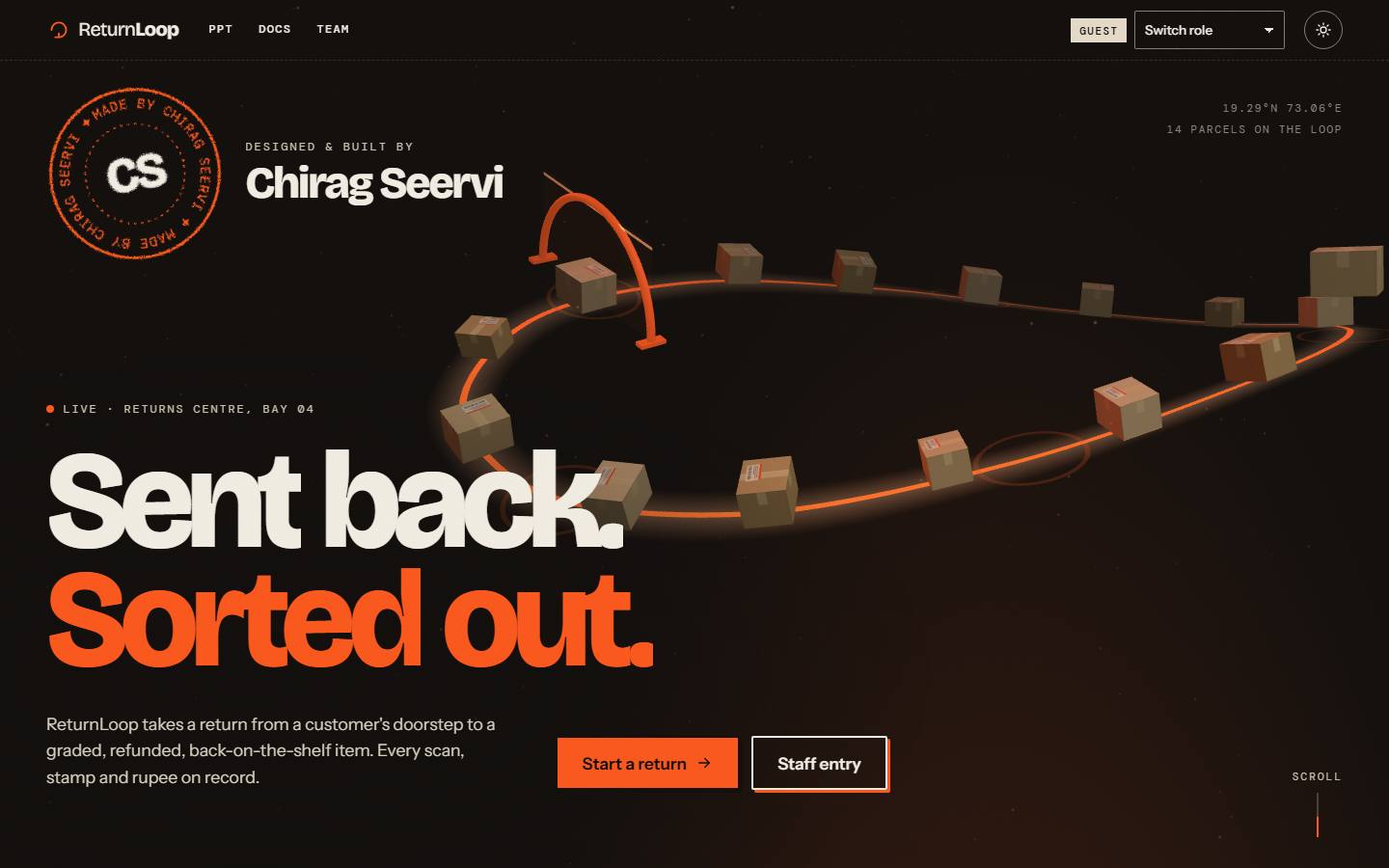
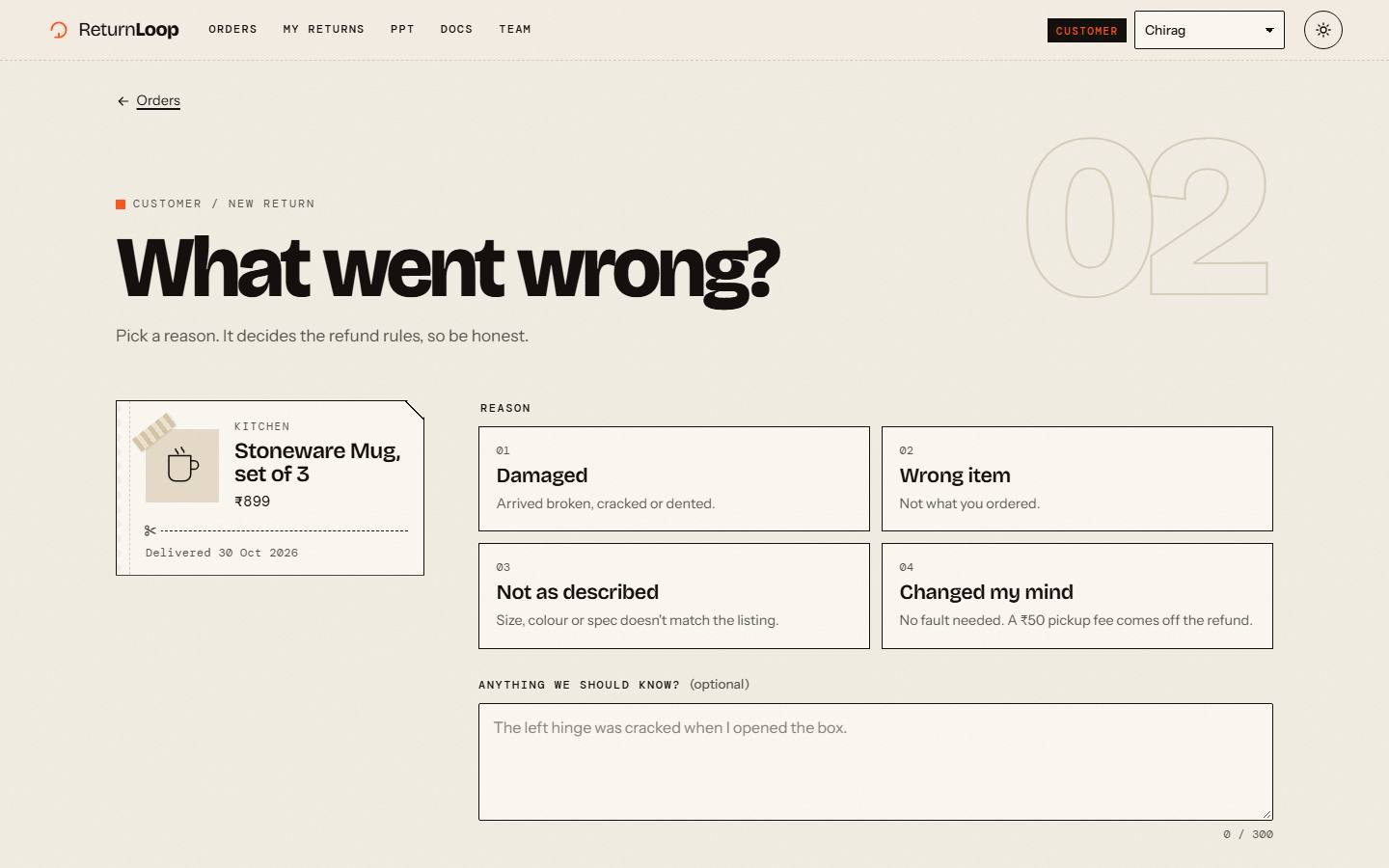
Screens of the working prototype, the app as built. Each follows the wireframe with the same name above; the landing page has none.